For teens who inject growth hormone on their own, and their parents
GrowTracker also suits teens who inject growth hormone on their own: the teen gets the reminders on their own phone and marks the injection themselves, and the parents see that the injection was marked without having to ask.
A login the parents create
When the parents already track the injections in the app, the parent who added the child creates a separate login for the teen: in Settings → Child Management → Edit, turn on “Allow child to log in independently” and choose an email and a password. With these details the teen signs in and goes straight to the home screen, with no initial setup, no plan to choose and no payment: the login is included in the parent's plan, on either plan.
The parents keep managing the tracking: they see everything, as before, and the settings and the subscription stay with them. The parent who added the child can change the login's email or password, and then the teen signs in again with the new details. That parent can also turn the login off: every device signed in with it stops getting notifications at once and is signed out within 15 minutes at most, and the data stays as it is.
Your own account, from age 16
From age 16 you can also open your own account: at sign-up, choose the “I inject myself” account type and check “I confirm I am 16 or older”. In the initial setup, fill in your details, the medication name and dose, the injection sites as you were instructed, the times and the pen stock, and choose a plan with a 30-day free trial.
In such an account, the profile, the settings, the subscription and all the data belong to the account holder, and the parents see only what they were invited to see.
Day to day: reminders on the phone and a tap to mark
Either way, the daily reminders reach the teen's phone: to take the pen out of the fridge, injection time, and, if one is set, an extra reminder when the injection hasn't been marked yet. On iPhone, first add GrowTracker to the Home Screen, and only then turn on notifications. On Android, and on a computer with Chrome or Edge, you can snooze a reminder for 10 minutes right from the notification.
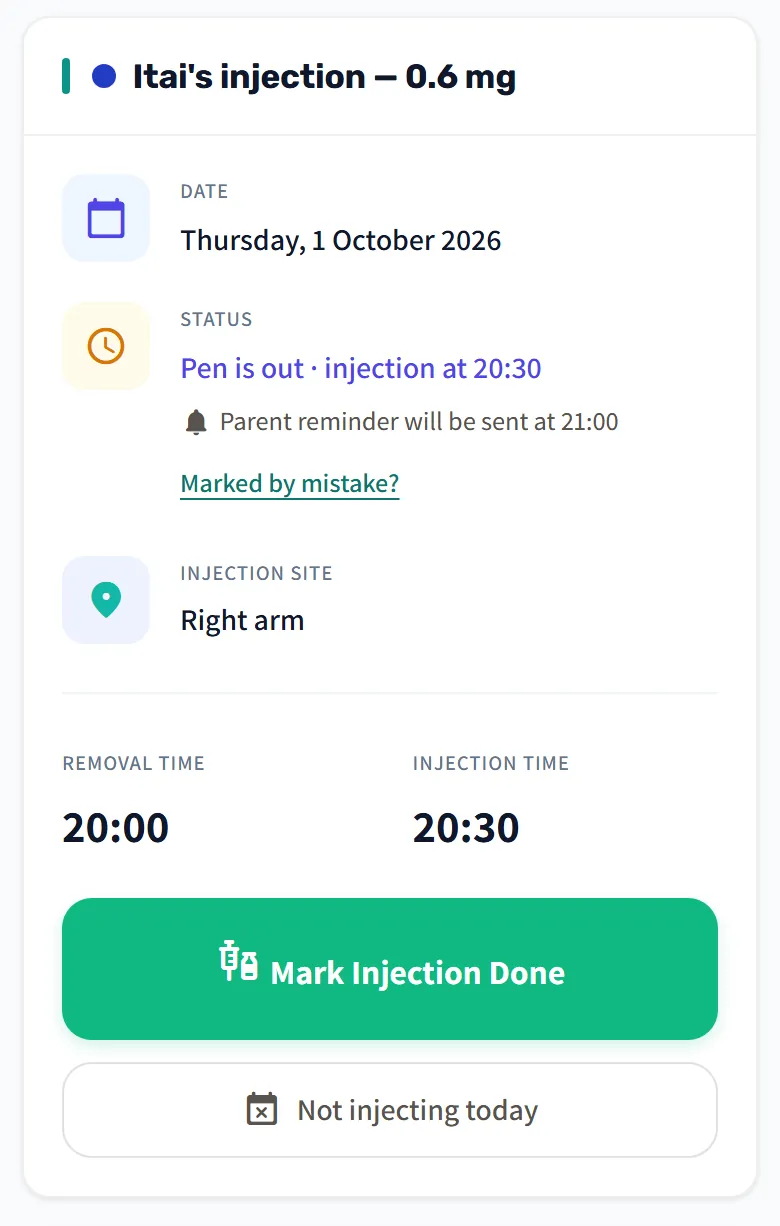
On the home screen, tap “Mark Removal Done” and then “Mark Injection Done”, and on a day without an injection, “Not injecting today”. Today's card also shows today's injection site, and the inventory card shows how much is left in the pen and by when to renew the prescription.
With your own account, you can choose “One button: ‘I injected’” in Settings → Time Settings: one tap marks the evening, with no pen-out step and no reminder to take the pen out.
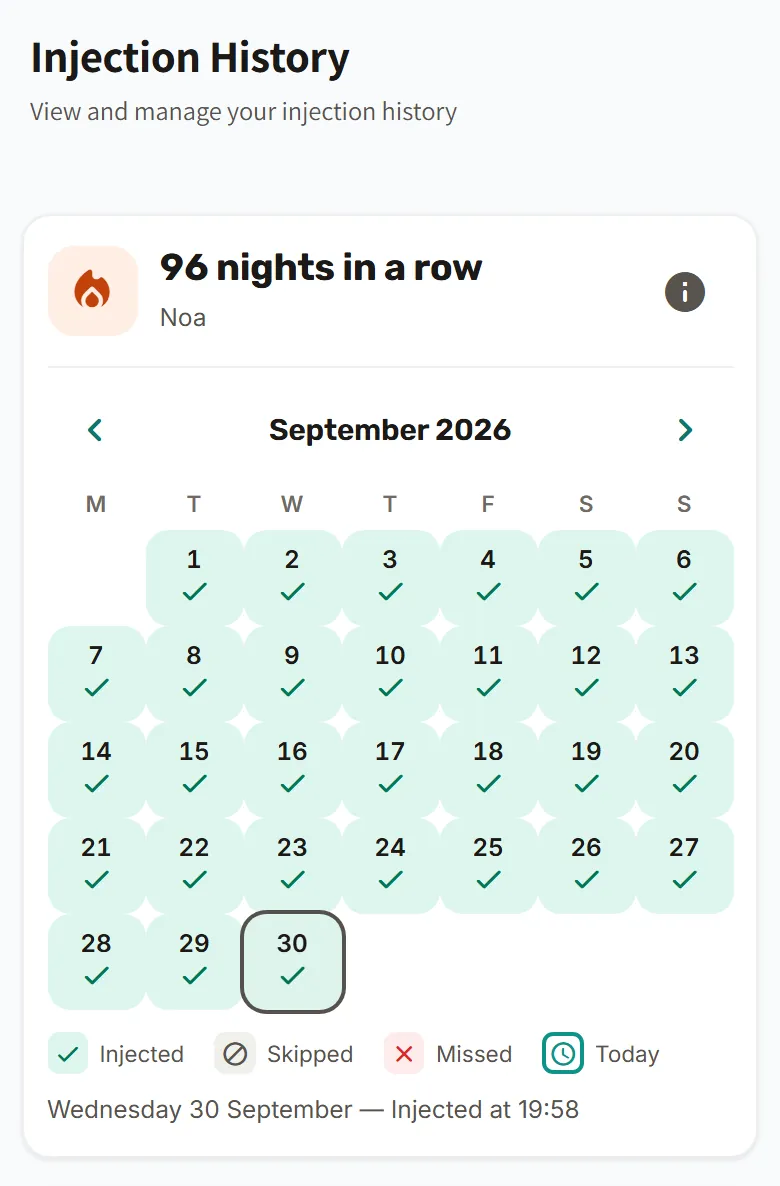
Every mark is saved in the injection log, with a month calendar and a “nights in a row” counter that show the progress, evening after evening.
What the parents see
What the parents see depends on how the login was set up:
- With a login the parents created: the parents see everything, as before. They see whether the injection was marked and who marked it, live while their home screen is open, and also the log and the pen stock. Each parent chooses which reminders reach them, and can keep only “Injection not marked yet” for themselves.
- With your own account: you invite the parents in Settings → Parents & sharing → “Invite a parent to follow along”. By default they see only the status: whether the injection was done, the time and who marked it, with no history, dose, injection site or pen stock. That way they see that the injection was marked without asking “did you inject?”, and they can't change anything.
With your own account, you can also let the parents see more, or let a parent mark injections too. You can remove any parent you invited at any time, and invited parents need no subscription of their own. There is more about invitations on the sharing between parents page.
You can also print the tracking report or save it as a PDF. All the features are described on the features page, and short answers are on the FAQ page.
Questions from teens and parents
From what age can I open my own account?
You can open your own account from age 16: at sign-up, choose “I inject myself” and check “I confirm I am 16 or older”. Under 16 there is no account of your own, and the personal login is created from the parents' account.
My login was created from my parents' account. Can I switch to my own account at 16 and keep the history?
Your own account starts as a new profile, and the log recorded until then stays in the parents' account.
Will my parents see everything I mark?
Not always: with a login the parents created, they see everything, and with your own account they see only what you chose to share. By default, an invited parent sees only whether the injection was done, at what time and who marked it.
Who pays for the login?
The login the parents create is included in the parent's plan, on either of the two plans, and the teen needs no subscription of their own. Your own account needs a subscription of its own and starts with a 30-day free trial, and parents invited to it need no subscription.
Will my parents get an alert if I haven't marked it?
The parents get a reminder when the injection hasn't been marked yet, if it is turned on in the time settings and they haven't turned it off for themselves. With a login the parents created, they decide themselves whether and when it is sent. With your own account, the default is no such reminder, and if you turn on “Extra reminder if the injection wasn't marked”, it reaches both you and the parents you invited.
What happens when the parent turns off the login?
When the parent turns off the login, every device signed in with it stops getting notifications at once and is signed out within 15 minutes at most, or at once if the app's home screen is open on it. The child's data stays as it is. A new login can be created at any time, even with the same email.
For parents, and for teens from age 16
Parents open an account and create the teen's own login, and from age 16 teens can also open their own account. 30-day free trial. The Essential plan needs no credit card.